Why Instagram Video Downloading Is Restricted
You try to save a Reel you love and the download button simply isn't there. Or you find a third-party tool, paste the link, and get nothing. Why Instagram video downloading is restricted is not a random technical glitch. There are real, layered reasons behind it: creator consent, copyright law, privacy architecture, and Instagram's own business interests. Understanding these layers changes how you approach the problem and helps you avoid mistakes that could get your account suspended.
Table of Contents
- Key Takeaways
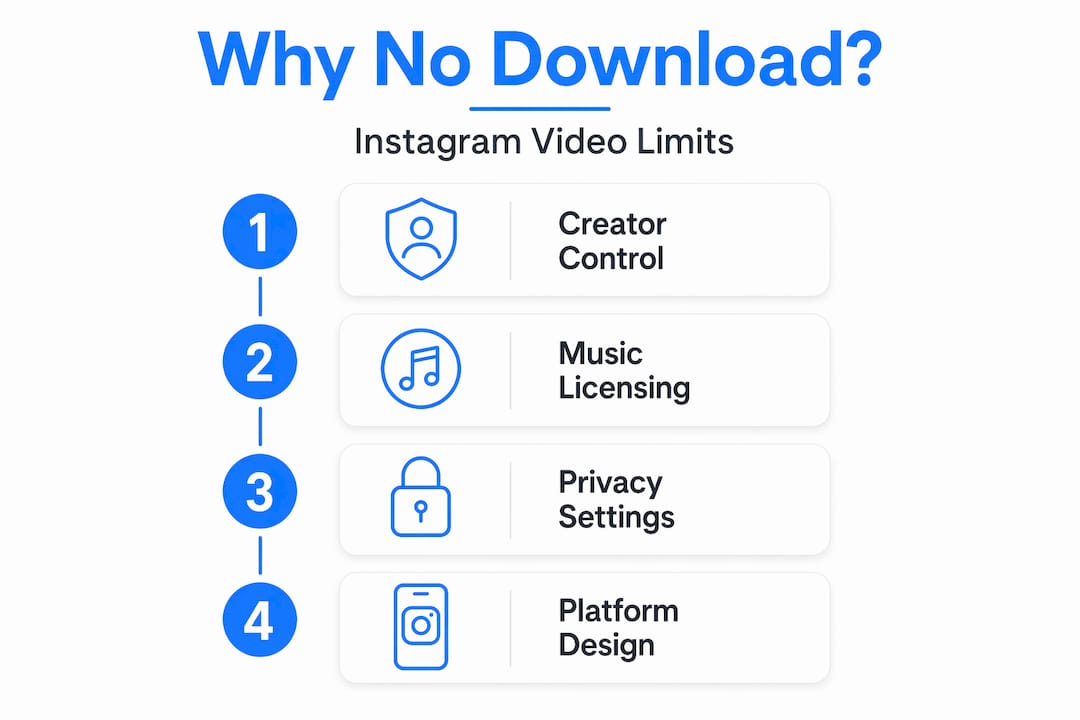
- Why Instagram video downloading is restricted: the full picture
- Copyright and music licensing
- Privacy controls and regional access
- Platform design and Instagram's business model
- How to approach downloads legally and responsibly
- My take on creator rights and user frustration
- Extract Instagram content at scale with Tornadoapi
- FAQ
Key Takeaways
| Point | Details |
|---|---|
| Creator consent drives most restrictions | Creators can disable downloads for their content directly in settings, removing the button for all viewers. |
| Copyright law blocks licensed music | Videos using licensed tracks may download without audio or fail entirely due to music licensing obligations. |
| Private accounts block external tools | Third-party downloaders rely on public URLs, which private account videos do not expose. |
| Instagram's platform design limits export | The app is built to keep engagement inside its ecosystem, making full offline access intentionally difficult. |
| Violating rules has real consequences | Downloading and reposting content without permission can trigger bans under Instagram's Terms of Service. |
Why Instagram video downloading is restricted: the full picture
Most people assume a missing download button means a bug. It rarely does. Instagram operates three distinct control planes that each independently block or limit downloads: creator settings, copyright and licensing systems, and privacy architecture. When a download fails, at least one of these planes is usually the cause.
The confusion is understandable. Instagram's interface does not explain why a button is absent. It just isn't there. That silence leads users to assume something is broken. But the system is working exactly as designed.
Creator settings are the first gatekeeper
Creator toggle settings are the primary reason a download button disappears for viewers. When a creator turns off downloads in their Reel or video settings, Instagram removes the button entirely from that post. No error message. No explanation. It is simply gone.
This is a consent feature. Instagram built it so creators retain control over how their content circulates outside the platform. A photographer who posts a short clip of their work may not want that file pulled and redistributed. A musician previewing unreleased material has the same concern. The toggle respects that.
For viewers, this means the absence of a download button almost always reflects a creator's deliberate choice, not a platform malfunction.
Copyright and music licensing
This is where Instagram video download limitations get genuinely complex. Instagram operates under licensing agreements with major music rights holders including record labels and publishing companies. Those agreements allow users to add popular songs to their content within the app. They do not grant rights for offline distribution of those same songs.
The result is predictable. Licensed music tracks are permitted only for in-app use. When you try to download a video with one of those tracks attached, Instagram either strips the audio or blocks the download entirely. This is not a technical error. It is copyright compliance in action.
Here is what this means in practice:
- A Reel using a major label track may download as a silent video file
- Some videos with licensed audio cannot be downloaded at all, even when the creator has download enabled
- Third-party tools that bypass the download button still face the same audio restrictions at the URL level
- Creators using royalty-free or original audio face far fewer download restrictions
Copyright enforcement is the silent enforcer behind many Instagram video content protection decisions. Even when a creator wants to share their video freely, the music licensing layer can override that intent and block or degrade the download without any visible explanation.
Pro Tip: If you are a creator who wants viewers to download your content freely, use original audio or royalty-free music. This removes the licensing layer as a restriction and gives your audience a full-quality file.
Privacy controls and regional access
Private accounts represent a separate, architecture-level restriction. External downloaders rely on public URLs to fetch video files. Private account content does not generate publicly accessible URLs. The follower relationship is verified at the session level, which means a third-party tool operating outside that authenticated session simply cannot reach the file, regardless of how sophisticated it is.
This design is intentional. Instagram's privacy settings are enforced at the infrastructure level, not just in the app's user interface. Bypassing the UI does not bypass the access control.
Here is a breakdown of the most common access-related failure reasons and their root causes:
- Private account content: The video URL requires follower authentication. External tools cannot authenticate and receive no file in return.
- Expired or incorrect links: Copying the wrong URL or one that has since expired causes download tools to fail with no useful error.
- Region-locked content: Certain videos are blocked in specific countries due to local licensing agreements or legal restrictions. A tool that works in one country may fail entirely in another.
- Deleted or archived posts: If a creator deletes or archives a post after you copy the link, the URL becomes dead immediately.
| Restriction type | Cause | Can a third-party tool bypass it? |
|---|---|---|
| Creator download disabled | Creator setting in app | No |
| Licensed music | Music rights agreement | No (audio stripped or blocked) |
| Private account | Session-level authentication | No |
| Region restriction | Local law or licensing | Sometimes, with geographic routing |
| Expired URL | Post deleted or link changed | No |
Platform design and Instagram's business model
Instagram's technical architecture around downloads is not accidental. The platform favors keeping content within the app to preserve user engagement and advertising revenue. Every minute spent watching videos inside the app is a minute that can be monetized. A downloaded video watched offline in a gallery app generates nothing for the platform.
This "walled garden" approach shapes nearly every download-related design decision. Native Instagram downloads save videos within the app itself, not as standalone files accessible outside it. You cannot simply open your phone's Files app and find a downloaded Reel sitting there. You need an internet connection and the app itself to watch it. That distinction matters enormously for anyone who wants to use content outside Instagram.
Third-party tools work by identifying and fetching the direct media URLs that Instagram's servers expose for video playback. Instagram periodically changes the structure of these URLs, adds authentication layers, and updates its anti-bot systems. This is the cat-and-mouse dynamic that makes external download tools unreliable over time, particularly as Instagram rolls out platform updates region by region.
Pro Tip: If a third-party download tool suddenly stops working after an Instagram update, the issue is almost certainly a change in Instagram's media URL structure or authentication requirements, not a problem with your browser or device.
Downloaded videos that do work often come with Instagram watermarks and stripped audio due to compliance requirements. For casual personal use that may be acceptable. For professional reuse, editing, or AI training pipelines, it creates a serious quality problem.
How to approach downloads legally and responsibly
Understanding Instagram video saving rules is one thing. Applying them without risking your account is another. Here is a clear set of practices that keep you on the right side of both Instagram's Terms of Service and copyright law:
- Ask the creator first. If you want to use a specific video for any purpose beyond personal viewing, message the creator directly. Most creators appreciate the respect, and many will say yes or share a higher-quality file directly.
- Use Instagram's native save feature. The bookmark feature saves posts to your Instagram collection. It is limited to in-app access, but it is completely compliant and keeps you synchronized with any creator edits.
- Use the native download button when it appears. When a creator has enabled downloads, use that button. It is the only fully authorized path to a local file.
- Understand screen recording's limits. Recording your screen while watching a private video gives you a copy, but it does not grant any rights to that content. It also produces low-quality footage. For anything beyond personal reference, it is the wrong approach.
- Avoid tools that require your Instagram login credentials. Any third-party service that asks you to enter your username and password to access content creates a serious account security risk on top of the ToS issues.
Pro Tip: Before using any third-party tool for Instagram video downloads, check whether it relies on public URLs only. Tools that claim to access private account videos or bypass authentication are almost certainly violating Instagram's Terms of Service and putting your account at risk.
My take on creator rights and user frustration
I have spent a lot of time thinking about the tension at the center of this issue. Users feel blocked. Creators feel exposed when their content circulates without permission. Both feelings are legitimate, and the restrictions Instagram has built are genuinely trying to serve both sides at once.
What I find underappreciated is how much the creator control toggle changes the moral calculus here. When a creator has disabled downloads, that is not a bureaucratic rule. It is a personal statement about how they want their work used. Bypassing it through a third-party tool is, at a minimum, disrespectful. In many cases it crosses into copyright infringement territory.
At the same time, I understand the frustration of trying to save a recipe tutorial or a language learning clip for offline reference. These are genuinely useful things. The problem is that Instagram has not built a satisfying solution for personal, non-commercial offline access. The platform's business model makes it unlikely that they ever will. Understanding why manual downloading limits scale is just as relevant for individual users as it is for developers.
The copyright layer is the one that surprises people most. Many creators do not realize that the song they added to their Reel in thirty seconds carries licensing restrictions that affect their audience's ability to download it. That information asymmetry is worth closing. Creators who want their content to travel freely should think about audio choices before they post, not after.
— Alexandre
Extract Instagram content at scale with Tornadoapi
If you are a developer, AI team, or content platform running into Instagram video download limitations at scale, the problem runs deeper than any manual workaround can solve.
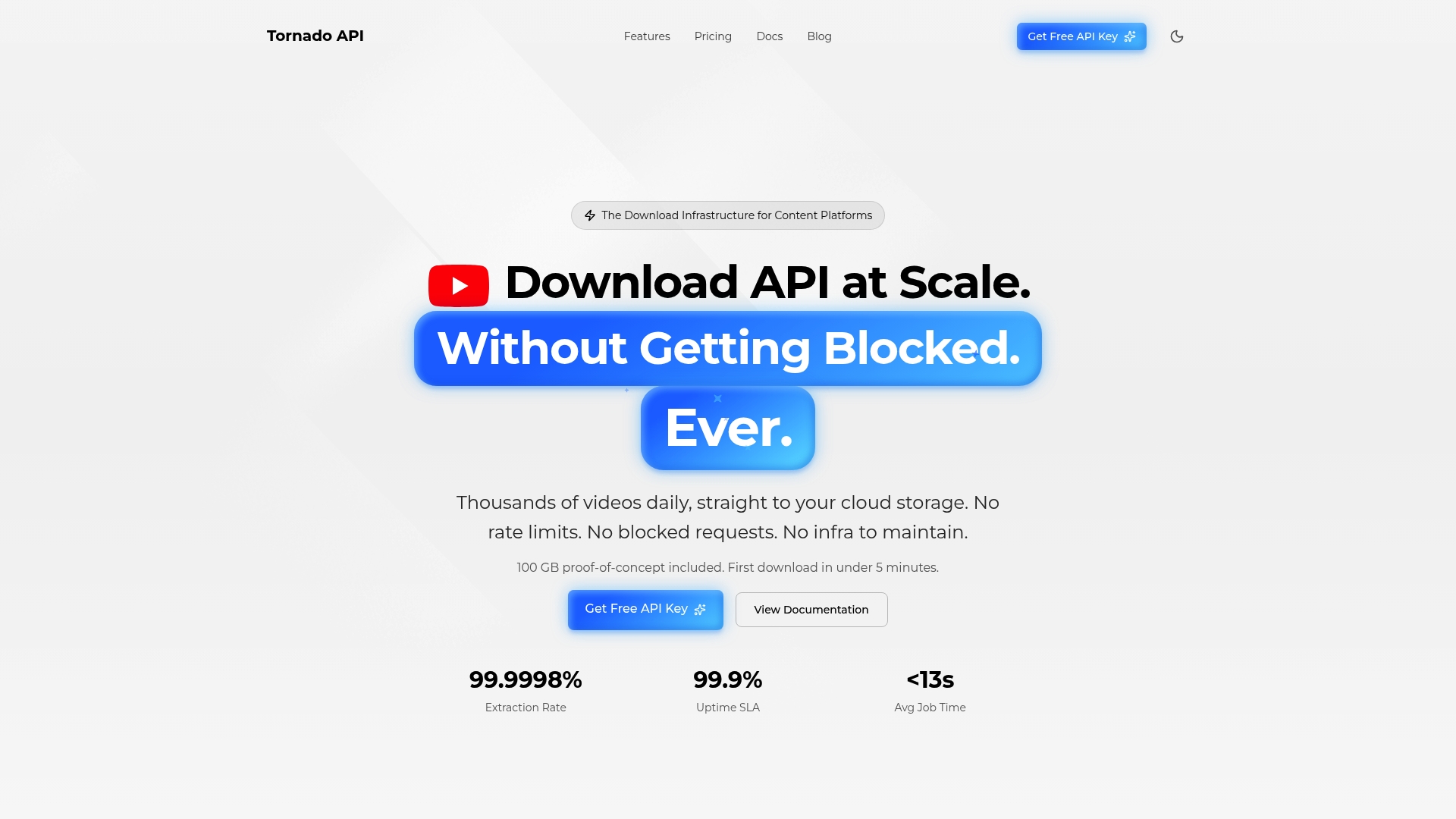
Tornadoapi sits between Instagram, YouTube, TikTok, and your pipeline. One API call returns a normalized file delivered directly to your S3, R2, GCS, or Azure bucket. Anti-bot handling, proxy rotation, and format normalization are built in, not bolted on. The platform delivers 300 TB monthly at 99.998% extraction reliability. For teams building video datasets, transcription products, or content workflows that need Instagram content at scale, the direct cloud export API is the infrastructure layer that replaces brittle manual tooling. You can also request API access and start with a free 25 GB trial to validate your pipeline before committing.
FAQ
Why is the download button missing on some Instagram videos?
The download button is missing because the creator has disabled the download option in their post settings. This is a deliberate creator choice, not a bug.
Why do some Instagram videos download without sound?
Videos that use licensed music tracks cannot include that audio in downloaded files due to music licensing agreements. Instagram strips the audio to stay compliant with rights holders.
Can I download videos from a private Instagram account?
No. Private account videos are protected at the URL level, meaning external tools cannot access them. You need to follow the account and access content within the authenticated app session.
Is it against Instagram's rules to use third-party download tools?
Using tools to download and repost content without creator permission can violate Instagram's Terms of Service and copyright law, and repeated violations can result in account suspension.
Why do Instagram download tools stop working after updates?
Instagram periodically changes its media URL structure and authentication systems. When that happens, third-party tools that depend on those URL patterns break until they are updated to match the new structure.