
What Is Direct Cloud Delivery for Video in 2026
If you've been trying to figure out what is direct cloud delivery for video, you've likely run into a frustrating problem: the term means different things depending on who's using it. Some vendors mean a cloud-native pipeline that handles your video from ingest to CDN delivery. Others mean a private, dedicated network connection to a cloud provider that bypasses the public internet entirely. Both definitions are legitimate, both affect your workflow, and confusing the two leads to the wrong tooling choices. This article separates the two meanings clearly and shows you how to use both to your advantage.
Table of Contents
- Key takeaways
- What direct cloud delivery means for video workflows
- Direct cloud connectivity: the network meaning
- Cloud-native workflows vs. direct network connections
- Practical tips for optimizing your cloud video delivery
- What's changing in cloud video delivery
- My take on direct cloud delivery confusion
- How Tornadoapi fits into your cloud video workflow
- FAQ
Key takeaways
| Point | Details |
|---|---|
| Two distinct meanings exist | Direct cloud delivery refers to both cloud-native video pipelines and private network connectivity. Confusing them causes poor vendor and tooling decisions. |
| Cloud-native workflows span five stages | Ingest, encode, store, package, and CDN delivery are the core stages of a cloud-native pipeline. |
| Private connections reduce latency and risk | Dedicated network paths like AWS Direct Connect lower jitter, improve consistency, and reduce exposure to cyber threats. |
| Integrated workflows cut costs significantly | Bundling playout and delivery in a single cloud system can reduce costs by nearly 50% compared to fragmented approaches. |
| Protocol and path decisions must align | Choosing the right ingest protocol and network path together determines your real glass-to-glass latency. |
What direct cloud delivery means for video workflows
The most common use of the term describes a fully cloud-native delivery workflow where every stage of your video pipeline runs inside a cloud environment rather than on hardware you own. There is no on-premises transcoder, no local storage array, and no physical playout server. The cloud handles everything from the moment your content arrives to the moment it reaches the viewer.
That pipeline has five recognizable stages.
- Ingest: Raw video enters the cloud via a contribution feed or file upload. Live feeds use protocols like SRT, RTMP, or WebRTC. File-based content moves directly into cloud object storage.
- Encode/Transcode: The cloud encodes your content into multiple bitrate profiles. Services like AWS Elemental MediaConvert or Google Transcoder API handle this at scale without you managing a single server.
- Storage: Encoded files land in cloud object storage (S3, R2, GCS, Azure Blob). This is the origin from which your downstream systems pull content.
- Packaging: A packaging layer segments your video and generates adaptive streaming manifests (HLS, DASH). Skipping this step is a common mistake. Real-world pipelines that skip proper packaging run into ABR alignment failures, broken DRM, and unexpected delivery costs.
- CDN Delivery: Your packaged content is pushed to CDN edge servers worldwide. Viewers receive the segment closest to them, which is the mechanism behind fast start times and low buffering.
The key difference from traditional workflows is the elimination of round trips. In legacy setups, content might travel from a camera to an on-premises encoder, then to a cloud storage bucket, then back through an on-premises packager before finally reaching a CDN. Each hop adds latency and cost. Cloud-native direct delivery removes those hops.
Cloud video streaming delivers video in small segments via adaptive bitrate streaming, which lets the player switch quality automatically based on the viewer's connection without rebuffering. This is not just a technical nicety. It is what makes global distribution to wildly different network conditions actually work at scale.
Pro Tip: When evaluating cloud video platforms, ask vendors specifically which of the five pipeline stages they own natively and which they outsource to third parties. Outsourced steps often become your latency and reliability problems later.
Direct cloud connectivity: the network meaning
The second meaning of direct cloud delivery has nothing to do with your video pipeline architecture. It refers to how your network physically connects to a cloud provider's infrastructure.
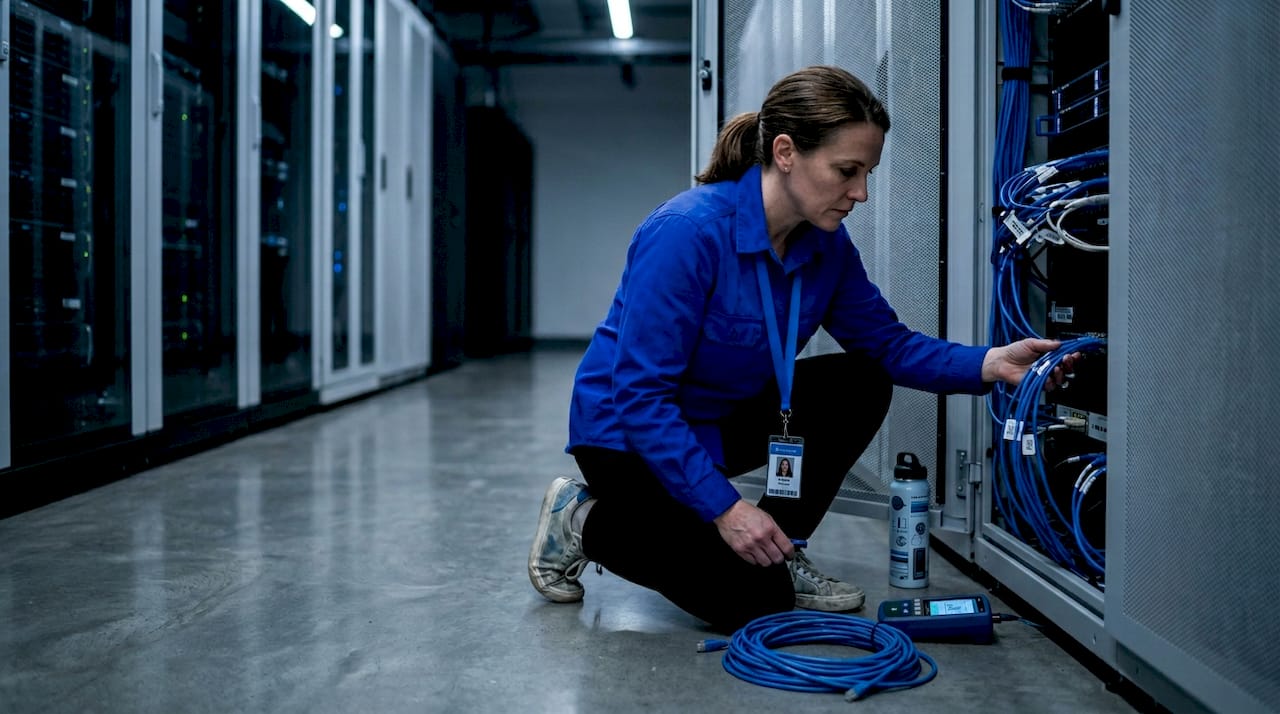
By default, data traveling between your origin systems and a cloud provider crosses the public internet. That path is unpredictable. Packets take different routes depending on congestion, your traffic shares infrastructure with everyone else's, and your bandwidth is not guaranteed.
A direct cloud connection changes that. Private, dedicated network paths into cloud provider networks use fiber cross-connects in colocation data centers to give you a consistent, reserved lane into AWS, Google Cloud, or Azure. You are not sharing that path with the public internet.
The benefits for video delivery are concrete:
- Lower jitter: Consistent packet delivery is critical for live streaming. Public internet jitter directly causes buffering and audio sync issues on viewer devices.
- Predictable bandwidth: A reserved connection means you can commit to bitrate profiles without worrying about burst congestion degrading your contribution feed.
- Reduced attack surface: Traffic that never touches the public internet cannot be intercepted on that path. This matters enormously for premium content with strict DRM and security requirements.
- Consistent latency: Private fiber connections produce repeatable latency numbers, which is what you need when you're engineering for specific glass-to-glass targets.
AWS Direct Connect and Google Cloud Interconnect are the two most widely used implementations. Both require you to be colocated with or have a partner connection to one of their approved data center facilities. The setup has a higher upfront cost and operational complexity compared to a standard internet connection, but for high-value live events or sensitive content pipelines, the tradeoffs are well understood.
Cloud-native workflows vs. direct network connections
These two interpretations of direct cloud delivery are related but solve different problems. Understanding where they overlap and where they diverge is what lets you make smart vendor and infrastructure decisions.
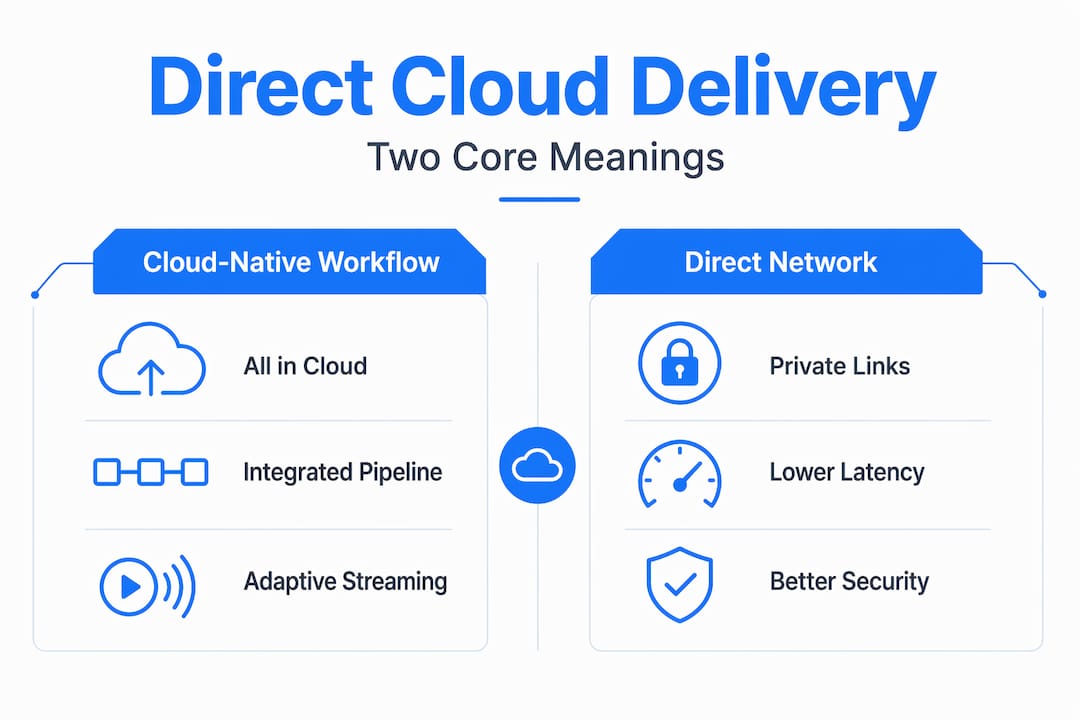
| Dimension | Cloud-native video workflow | Direct network connectivity |
|---|---|---|
| What it controls | The stages your video passes through in the cloud | The network path your data uses to reach the cloud |
| Primary benefit | Reduced processing hops, lower operational cost | Lower latency, higher consistency, better security |
| Relevant tools | AWS Elemental, Google Video Intelligence, MediaPackage | AWS Direct Connect, Google Cloud Interconnect |
| Cost model | Pay-per-use for encoding, storage, and delivery | Fixed monthly cost for dedicated bandwidth |
| Who benefits most | Any creator distributing video at scale | Teams with live events, sensitive content, or strict SLAs |
| Can work without the other | Yes, but latency may be suboptimal | Yes, but workflow inefficiencies may still exist |
The most important insight from clarifying these terms before vendor selection is that they address different layers of the same problem. You can have a perfectly optimized cloud-native pipeline that still delivers inconsistently because your contribution feed crosses congested public internet nodes. Conversely, you can have a rock-solid private connection feeding an inefficient, multi-hop on-premises-to-cloud workflow that burns money and adds latency anyway.
The goal is to optimize both. But if you can only fix one first, fix the workflow architecture. A cloud-native pipeline with a public internet connection will outperform an on-premises workflow with a private connection in most non-live scenarios.
Pro Tip: Before purchasing a direct network connection, audit your pipeline architecture first. If your workflow still bounces between on-premises and cloud, the private connection will not save you from the latency introduced by those unnecessary hops. Fix the architecture, then optimize the path.
Practical tips for optimizing your cloud video delivery
Getting direct cloud delivery working well in practice requires decisions at multiple points in your workflow. Here is a sequence that works.
- Choose ingest protocols based on your content type. For live production, SRT and WebRTC offer the best balance of security and low latency. RTMP is still widely supported but carries legacy reliability concerns at scale. File-based workflows should use multipart uploads directly to cloud object storage to avoid bottlenecks.
- Keep encoding, packaging, and delivery in the same cloud environment. Moving a mezzanine file from a cloud encoder back to an on-premises packager and then back to a cloud CDN origin is a common and costly mistake. The cost reduction from keeping playout and delivery integrated in one cloud system can approach 50% compared to fragmented setups.
- Do not skip the packaging stage. AWS MediaPackage, unified origin services, and similar tools do more than just segment your content. They handle DRM key rotation, generate manifests aligned to your ABR profiles, and prepare content for CDN caching rules. Skipping them to save cost usually costs more in debugging and re-work.
- Match your CDN configuration to your audience geography. Not all CDNs have equivalent PoP coverage in every region. If 40% of your viewers are in Southeast Asia, a CDN optimized for North American delivery will create a measurable quality gap. Validate edge coverage before committing to a CDN provider.
- Use private connectivity for live events and high-value content. For sports broadcasts, pay-per-view events, or anything where a delivery failure has direct financial consequences, a private network connection is worth the monthly cost. For on-demand catalogs, it often is not.
- Monitor glass-to-glass latency as a composite metric. Chunk duration in your ABR profile, CDN cache hit rate, and network path consistency all contribute to what a viewer actually experiences. Optimizing only one of these while ignoring the others will leave performance gains on the table.
Pro Tip: For live workflows, coordinating your network path choice with your ABR segment strategy directly determines viewer experience. A two-second chunk duration with a private connection can outperform a one-second chunk duration over congested public internet.
What's changing in cloud video delivery
The architecture of direct cloud delivery is not static. Several shifts happening right now will change what's possible and what's expected over the next two years.
- Microservices orchestration is replacing monolithic video platforms. Video platform engineering is decomposing encoding, DRM, ad insertion, and analytics into independent services that can be scaled and updated individually. This means you can swap your transcoder without rebuilding your whole pipeline, and you can scale your ad insertion layer independently during peak events.
- AI-enabled compression is reducing egress costs. Per-title encoding optimization and machine-learning-based bitrate ladders let you deliver the same perceived quality at lower bitrates. Fewer bits per second means lower CDN costs and less strain on contribution bandwidth. Understanding zero egress fee strategies becomes important here as your delivery volume grows.
- Edge computing is shortening the last mile. Processing closer to the viewer rather than at a central cloud region reduces round-trip times for interactive features, personalized ad insertion, and low-latency live streams. Expect edge-based packaging and origin services to become standard infrastructure within the next 18 months.
- Private cloud on-ramps are becoming commoditized. What was once an expensive, complex setup for enterprise broadcasters is moving toward more accessible pricing through data center operators and managed network providers. Smaller production teams will have practical access to private connectivity that was previously out of reach.
The teams building next-generation video intelligence infrastructure are already treating private connectivity and cloud-native pipelines as equally important architectural decisions rather than sequential ones.
My take on direct cloud delivery confusion
I've seen more teams make costly infrastructure decisions because they assumed "direct cloud delivery" meant the same thing to every vendor they were talking to. It does not. One vendor is describing their cloud-native workflow. Another is selling you a network product. Both are useful. Neither is the other.
What actually works, in my experience, is treating your pipeline architecture and your network path as a joint optimization problem from the start. The teams that get the best results are not the ones who bought the most expensive private connection or the most feature-rich video platform. They are the ones who audited their full workflow, identified where latency and cost were actually coming from, and made targeted changes at those specific points.
The other mistake I see repeatedly is evaluating vendors on individual feature lists rather than on how their product fits into the other systems you already depend on. A packaging service that does not integrate cleanly with your CDN configuration creates a seam that becomes a support ticket at 2 AM during a live event.
My recommendation: diagram your current workflow end to end before talking to any vendor. Identify every point where your content crosses a network boundary or changes hands between systems. Those are your bottlenecks. Fix the architecture first, then select tools that fit the architecture you want. Not the reverse.
— Alexandre
How Tornadoapi fits into your cloud video workflow
If your workflow involves extracting video from platforms like YouTube, TikTok, Instagram, or Spotify and routing that content into a cloud-native pipeline, Tornadoapi handles the extraction layer with production-grade reliability. One API call covers anti-bot handling, format normalization, and direct cloud export to S3, R2, GCS, or Azure, so your team is not managing proxy infrastructure or debugging extraction failures. Tornadoapi delivers 300 TB monthly at 99.998% reliability with 50 Gbps capacity. For teams building video clipping workflows or training data pipelines that depend on consistent, large-scale video access, that extraction reliability feeds directly into the cloud-native delivery architectures this article covers.
FAQ
What is direct cloud delivery for video?
Direct cloud delivery for video refers to two related concepts: a cloud-native pipeline where ingest, encoding, packaging, and CDN delivery all happen in the cloud, and a private network connection that bypasses the public internet to reach cloud infrastructure. Both affect the performance and reliability of your video distribution.
How does cloud video streaming use adaptive bitrate delivery?
Cloud video streaming segments video into small chunks and delivers them at multiple quality levels simultaneously. The player automatically selects the best quality based on the viewer's available bandwidth, enabling smooth playback without manual quality switching.
What protocols should I use for live cloud video ingest?
SRT and WebRTC are the preferred protocols for live cloud ingest because they offer low latency and built-in error correction. RTMP remains common but is less reliable at scale and lacks native encryption.
Is a private direct cloud connection worth the cost?
For live events, premium content, or workflows with strict latency SLAs, a private cloud connection reduces jitter and improves consistency enough to justify the cost. For on-demand video catalogs with no latency-critical requirements, a well-architected cloud-native pipeline over the public internet is usually sufficient.
Why does the packaging stage matter in cloud video delivery?
Packaging generates the HLS or DASH manifests and segments that CDNs cache and serve to viewers. Skipping or misconfiguring it leads to ABR alignment failures and broken DRM. Proper packaging is what makes adaptive streaming and content protection actually work at the delivery layer.