
Transform YouTube Videos into Posts: 2026 Guide
Transforming YouTube videos into posts is the practice of using AI-powered tools to extract video transcripts, rewrite them into structured articles, and distribute the output across blog platforms and social media channels. Platforms like VideoToBlog, Vidocu Remix, and Tornadoapi have made this process fast enough that AI processing completes in under 5 minutes, cutting what used to be a full day of manual editing into a single automated workflow. For content creators and marketers sitting on hundreds of hours of video, this is not a nice-to-have. It is the most efficient content production method available in 2026.
What tools are essential to convert YouTube videos into blog posts?
The core technology stack for video-to-post conversion covers four functions: transcript extraction, AI rewriting, SEO structuring, and multi-format output. Each function can be handled by a single platform or assembled from specialized tools depending on your volume and technical setup.
VideoToBlog focuses on YouTube URL input, automatic transcript pull, and AI rewriting into reader-friendly articles with headings and calls to action. Vidocu Remix goes further by generating a full content suite. A single 60-minute webinar produces 10 to 15 short reels plus blog posts, LinkedIn posts, Twitter threads, and quote cards in one pass. Hinto AI adds visual content strategy by embedding screenshots and video clips directly into the draft. The yt-to-blog open-source skill offers API-level control for developers who want to build custom pipelines.

Here is a feature comparison across the major platforms:
| Platform | Automation level | SEO optimization | Multi-format output | Free tier |
|---|---|---|---|---|
| VideoToBlog | High | Yes | Blog only | 5 conversions/month |
| Vidocu Remix | Very high | Yes | Blog + social + reels | 5 conversions/month |
| Hinto AI | Medium | Partial | Blog + visuals | Limited |
| yt-to-blog | Developer-level | Manual | Custom | Open source |
Key capabilities to evaluate before choosing a platform:
- Automated transcript extraction directly from a YouTube URL
- AI rewriting that produces narrative prose, not raw transcript dumps
- SEO metadata generation including title tags and meta descriptions
- Screenshot and clip extraction for visual embedding
- CMS publishing integrations (WordPress, Webflow, Ghost)
- API access for bulk video ingestion at scale
Pro Tip: If you manage a channel with more than 50 videos, prioritize platforms with API access and channel monitoring. Automated workflows connected via RSS or channel monitoring trigger blog post creation the moment a new video goes live, requiring zero manual intervention.
How to turn a YouTube video into a polished blog post
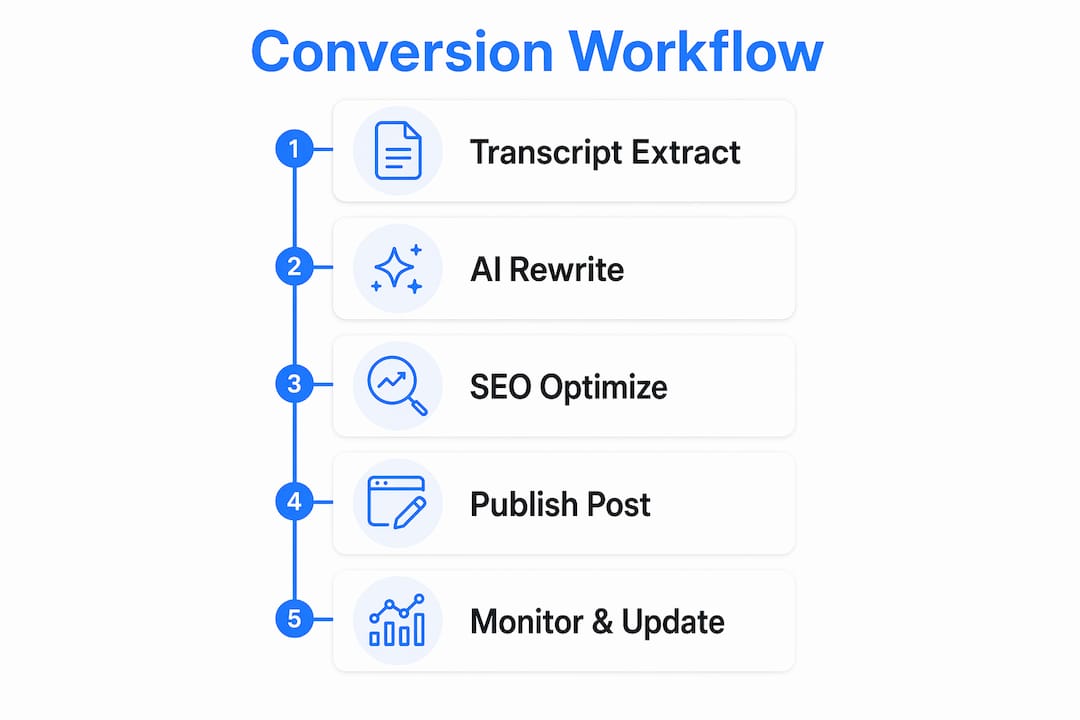
The automated content pipeline follows five repeatable steps. Each step builds on the previous one, and the entire sequence from raw URL to published draft takes under 30 minutes for most videos.
-
Extract the transcript. Paste the YouTube URL into your chosen platform. The tool calls the YouTube API or a dedicated extraction service to pull the full transcript, including timestamps. Videos with auto-generated captions work, but manually uploaded captions produce cleaner source text.
-
Rewrite with AI into blog format. Raw transcripts are spoken dialogue. They contain filler words, incomplete sentences, and no paragraph structure. AI rewriting with specialized prompting transforms that spoken content into professional narrative with H2 and H3 headings, intro paragraphs, and a closing call to action. This step is what separates a readable article from a transcript dump.
-
Add SEO metadata. The AI draft needs a title tag under 60 characters, a meta description under 160 characters, and keyword placement in the first 100 words. Most platforms generate these automatically, but you should review them against your actual target keyword before publishing.
-
Embed screenshots and video clips. 80 to 90% of leading tools include automated screenshot generation. Embedding the original video and key frame captures breaks up long text sections and signals to search engines that the page contains rich media.
-
Publish or export for social distribution. Push the draft directly to your CMS or export formatted versions for LinkedIn, Twitter/X, and Facebook. Vidocu Remix and VideoToBlog both support direct CMS connections. For social, the platform generates shorter derivative formats from the same source content.
Pro Tip: Set up channel monitoring so your workflow triggers automatically on new uploads. Tools like Vidocu Remix support this natively. For custom pipelines, Tornadoapi's extraction infrastructure handles the video extraction layer so your automation fires without manual URL input.
Here is a summary of the five steps with realistic time savings:
| Step | Manual time | Automated time |
|---|---|---|
| Transcript extraction | 30 to 60 min | Under 1 min |
| AI rewriting | 2 to 4 hours | 2 to 4 min |
| SEO metadata | 30 min | Automatic |
| Screenshot embedding | 45 min | Automatic |
| Publishing and distribution | 30 min | 5 to 10 min |
How to optimize repurposed content for SEO and engagement
Plain transcription is not content marketing. Quality AI output depends on rewriting rather than verbatim transcription, and even the best AI draft requires a human pass before it is ready to publish.
Human review runs about 10 to 15 minutes per post after the AI generates the draft. That time goes toward three things: correcting factual inaccuracies the AI may have introduced, adjusting the tone to match your brand voice, and verifying that all statistics and claims are accurate. Most creators find that 80 to 90% of the AI draft is usable, which means the editing pass is targeted rather than a full rewrite.
For SEO, the structure of the post matters as much as the keywords. Place the primary keyword in the H1, the first paragraph, and at least one H2. Use descriptive subheadings that match how your audience searches. Add internal links to related posts and external links to authoritative sources. These signals compound over time and are far more durable than any single keyword tactic.
"One video can generate a full content suite including reels, blog posts, LinkedIn posts, Twitter threads, and quote cards automatically. The constraint is not production capacity. It is editorial judgment about what to publish and when."
Adapting the blog post into social formats requires a different editorial lens. A LinkedIn post from the same source should open with a strong claim, not a summary. A Twitter thread should break the argument into discrete, self-contained points. Short reels should capture the single most surprising or counterintuitive moment from the video. Each format has its own grammar, and the AI handles the raw conversion while you apply the format-specific judgment.
Mistakes that consistently degrade output quality:
- Publishing the AI draft without a human review pass
- Using videos with heavy background music or unclear narration as source material
- Ignoring visual embedding and publishing text-only posts
- Skipping meta description customization and leaving AI-generated defaults
- Treating every video as equally repurposable regardless of production quality
Common challenges when converting YouTube videos into posts
The most frequent failure point is poor audio quality, which produces inaccurate transcripts and cascades into bad blog output. Tools struggle with background music, heavy accents, and overlapping speakers. The fix is simple: only repurpose videos where the narration is clear and the audio is clean. If a video has poor audio, transcribe it manually or use a dedicated audio cleanup tool before feeding it into the pipeline.
Long videos create a volume problem. A 90-minute conference talk produces a transcript of 12,000 to 15,000 words. Most AI tools handle this by chunking the content, but the output can feel disjointed if the chunking logic does not respect the video's natural topic breaks. Review the AI's section structure before accepting it and reorganize if the flow does not match the original argument.
Free tier limits are a real constraint for teams with high output volume. Most platforms cap free usage at 5 to 10 conversions per month. Teams processing 20 or more videos monthly need a paid plan or an API-based solution that scales with demand. Tornadoapi's extraction API comparison covers the technical options for teams that need production-grade throughput without per-conversion pricing.
Pro Tip: Before publishing any repurposed post, run it through a checklist: accurate facts, brand-consistent tone, keyword in the first paragraph, at least one embedded visual, and a working meta description. A five-minute pre-publish review catches 90% of quality issues.
CMS integration errors are common when connecting AI platforms to WordPress or Webflow via API. The most frequent cause is mismatched field mapping between the AI output schema and the CMS post structure. Test with a single post before enabling automated publishing for an entire channel.
Key takeaways
Repurposing YouTube content into blog posts and social media requires AI rewriting, SEO structuring, and visual embedding working together. Transcription alone produces unusable output.
| Point | Details |
|---|---|
| AI rewriting is non-negotiable | Raw transcripts must be rewritten into narrative prose with headings and calls to action before publishing. |
| Human review takes 10 to 15 minutes | Spend that time on factual accuracy, brand voice, and keyword placement rather than full rewrites. |
| Visual embedding lifts engagement | Automated screenshots and embedded video break up text and improve search rankings. |
| Archive content produces equal value | Repurposing older videos generates the same content suite output as new uploads. |
| API access enables zero-touch workflows | Channel monitoring triggers post creation automatically, removing manual URL input entirely. |
Why I think most creators are leaving 80% of their video value on the table
I have watched content teams spend weeks producing a single YouTube video and then publish it once and move on. The video sits in the archive, accumulating views slowly, while the team starts the production cycle again from scratch. That is the wrong mental model entirely.
Repurposing your entire video archive rather than only recent uploads is where the real leverage lives. A well-structured 45-minute tutorial from two years ago contains the same information it always did. Run it through a modern AI pipeline and you get a blog post, a LinkedIn article, five Twitter threads, and a set of short clips. That is a full week of content from a single asset that already exists.
The part that surprises most creators is how little the AI output needs in terms of human editing. The 10 to 15 minute review pass is not a bottleneck. It is a quality gate. The bottleneck is the mental shift from thinking about content production as a linear process to thinking about it as an extraction problem. You already have the raw material. The question is how efficiently you can pull value out of it.
My honest prediction for the next 18 months: AI tools will get better at preserving the speaker's original voice during rewriting, which is currently the weakest part of the pipeline. Right now, most AI rewrites sound competent but generic. When the voice fidelity improves, the human editing pass will shrink to five minutes or less, and the economics of video repurposing will shift even further toward automation. Build the workflow now so you are ready when the tools catch up.
— Alexandre
How Tornadoapi powers large-scale video repurposing
Content teams processing dozens of videos per week hit the ceiling of consumer-grade tools fast. Tornadoapi sits at the extraction layer of the pipeline, handling anti-bot systems, proxy rotation, and format normalization so your repurposing workflow receives clean, structured video data every time.
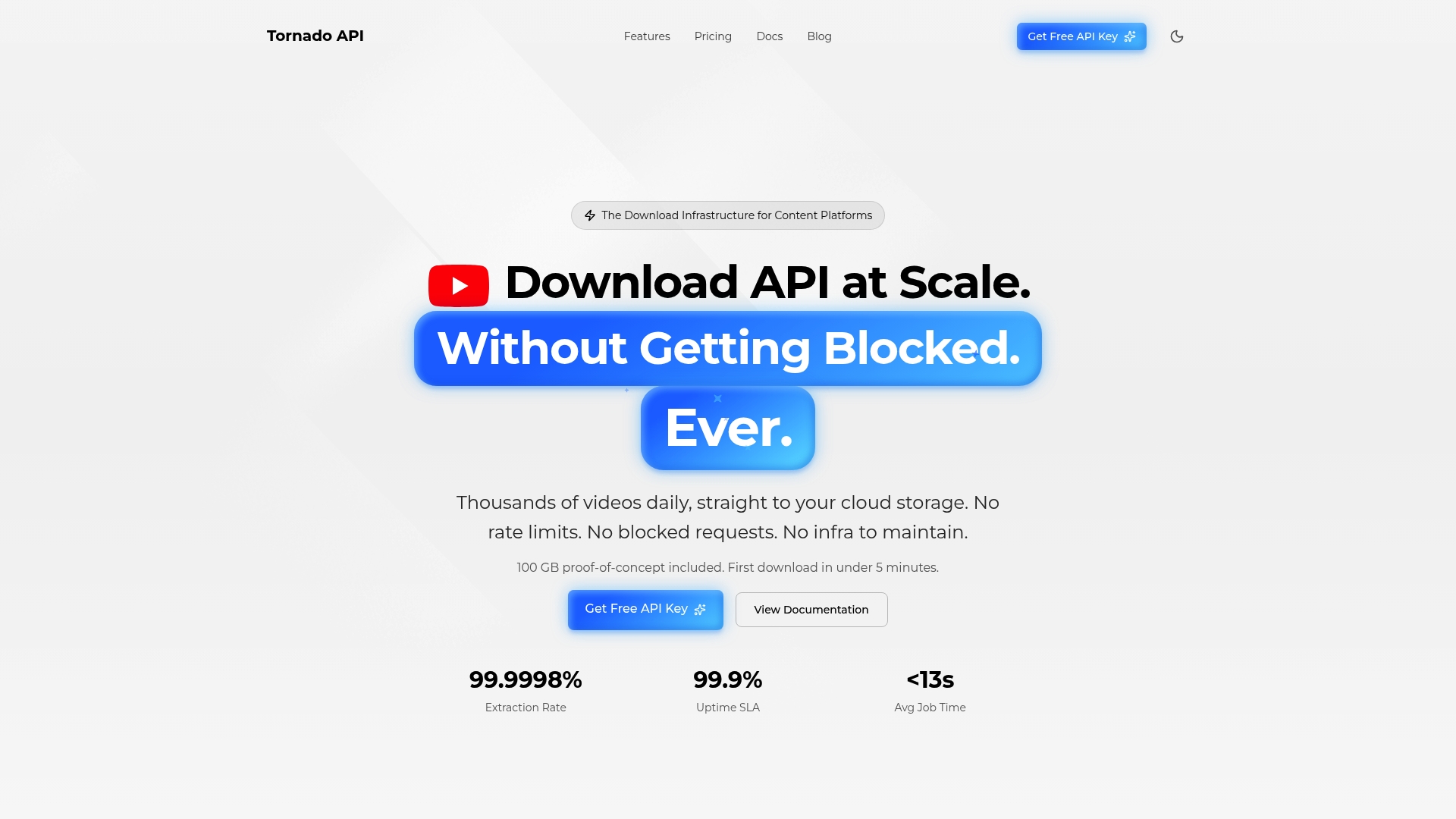
Tornadoapi delivers 300 TB of video data per month at 99.998% extraction reliability. For teams building content repurposing tools or running automated channel monitoring at scale, that reliability is the difference between a workflow that runs unattended and one that requires constant maintenance. One API call handles the extraction. Your pipeline handles the rest. Review the available extraction tiers to find the right fit for your production volume.
FAQ
What does it mean to transform YouTube videos into posts?
It means using AI tools to extract a video's transcript, rewrite it into structured blog or social content, and publish it across platforms. The process covers transcription, AI rewriting, SEO metadata, and visual embedding.
How long does it take to convert a YouTube video to a blog post?
AI processing completes in under 5 minutes for most videos. Add a 10 to 15 minute human review pass and the total time from URL to published draft is under 30 minutes.
Do I need technical skills to repurpose YouTube videos?
No technical skills are required for platforms like VideoToBlog or Vidocu Remix, which handle the full pipeline through a web interface. API-based solutions like Tornadoapi are designed for developer teams building custom workflows.
Can I repurpose older videos from my archive?
Yes. Repurposing archived content produces the same content suite output as new uploads and often generates higher engagement because the material has already been validated by existing viewership.
Why is plain transcription not enough for blog posts?
Raw transcripts contain spoken filler, incomplete sentences, and no paragraph structure. Quality blog output requires AI rewriting that transforms dialogue into narrative prose with headings, transitions, and a clear argument structure.