
How Transcription SaaS Sources Video Content in 2026
Transcription SaaS platforms source video content by combining audio extraction, native caption fetching, and AI-powered speech recognition to produce accurate, timestamped transcripts for downstream content use. Understanding how transcription SaaS sources video content is no longer optional for content teams running at scale. Tools like Whisper, FFmpeg, and YouTubeTranscript.dev form the technical backbone of this process, each handling a distinct layer of the pipeline. The output goes far beyond raw text: speaker labels, SRT files, VTT subtitles, and time-aligned segments feed directly into editing, repurposing, and searchability workflows that modern content operations depend on.
How transcription SaaS sources video content: the core pipeline
The technical process of video transcription follows a defined sequence, and every step in that sequence affects accuracy, speed, and cost. Knowing the pipeline helps you make smarter decisions about which tools to use and where to optimize.
Here is how the pipeline works in practice:
-
Video ingestion. The platform receives a video URL or file upload. For hosted platforms like YouTube, TikTok, or Vimeo, the SaaS tool sends an API request to retrieve the video file or its audio stream. This is where infrastructure reliability matters most, since bot detection and rate limiting can break the pipeline entirely.
-
Audio extraction. The video file is processed with FFmpeg to isolate the audio track. Transcription pipelines extract audio and convert it to 16kHz mono WAV before passing it to a speech model. This step is not cosmetic. Whisper's accuracy improves measurably when it receives clean, properly formatted audio rather than a raw video container.
-
Speech-to-text transcription. The extracted audio runs through a model like OpenAI's Whisper. The model returns a timestamped transcript, typically in JSON, which the platform then converts to SRT or VTT subtitle formats. Whisper accuracy improves when audio is pre-processed to optimal sample rates rather than feeding video files directly into the model.
-
Subtitle generation and delivery. The platform burns subtitles back into the video or delivers the transcript file separately. SRT files carry timestamps and line breaks. VTT files add styling and positioning metadata. Both formats serve different downstream uses, from YouTube captions to video editors like DaVinci Resolve or Premiere Pro.
-
Output formatting. The final transcript is packaged with speaker labels, confidence scores, and chapter markers depending on the platform's feature set.
Pro Tip: Always extract audio to a separate file before transcription. It lets you retry the speech-to-text step without re-downloading or re-processing the video, which cuts both time and compute cost on failed runs.
How platforms prioritize native captions over audio transcription
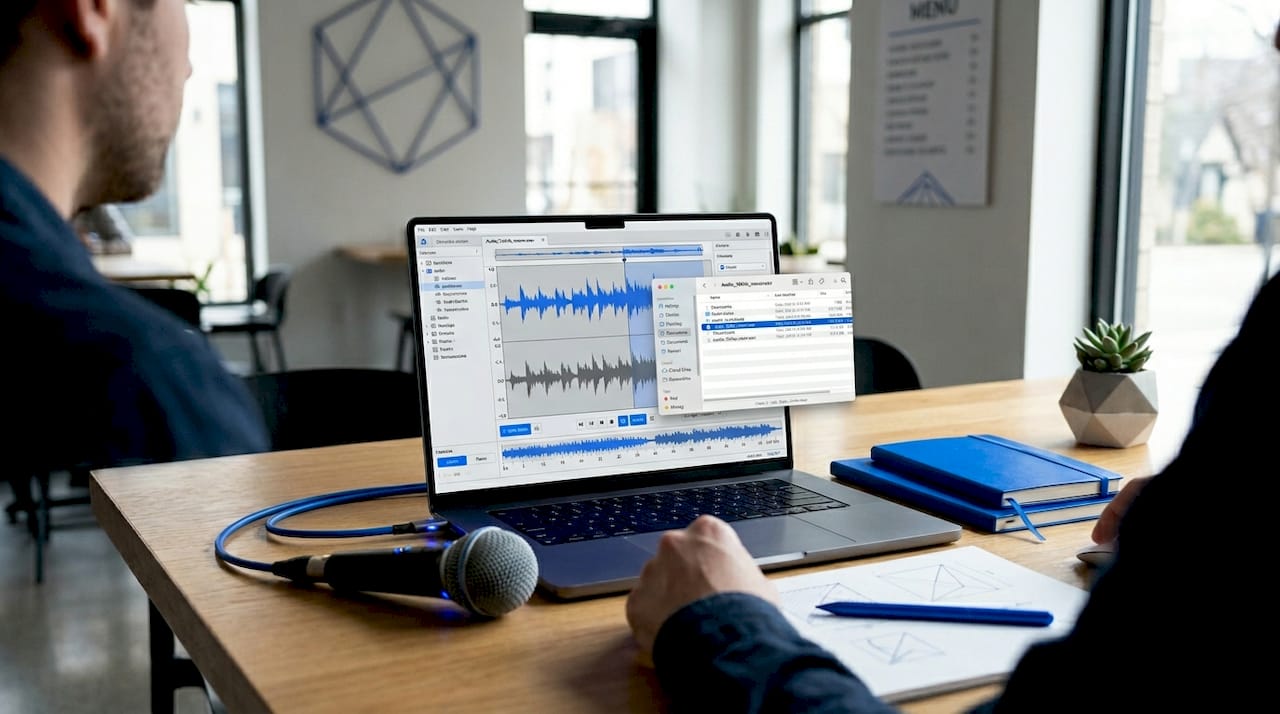
Not every video requires full audio transcription. Many platforms already carry native captions, and smart transcription SaaS tools check for those first before spinning up a speech model.
Native captions reduce turnaround time and cost compared to audio transcription, enabling immediate result returns versus 2 to 20 minutes for ASR-based processing. For a content team transcribing hundreds of videos per week, that difference compounds into real money and real time.
The table below shows how the two sourcing methods compare across the metrics that matter most to production teams:
| Factor | Native captions | ASR fallback |
|---|---|---|
| Speed | 5 to 10 seconds | 2 to 20 minutes |
| Cost | 1 credit per request | Higher compute cost |
| Accuracy | Platform-dependent | Model-dependent |
| Language control | Fixed to uploaded track | Configurable |
| Availability | YouTube, Vimeo, select platforms | Any audio source |
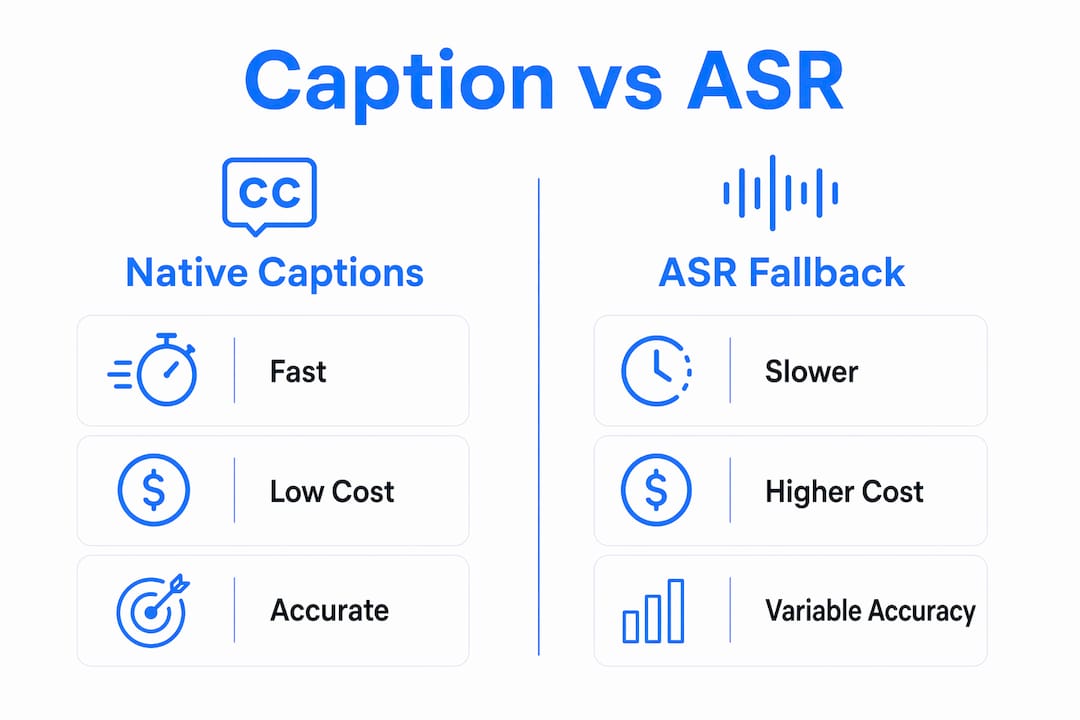
The API flow for caption sourcing follows a clear priority order: check owned transcripts first, then fetch native captions, then fall back to ASR if captions are unavailable or in the wrong language. This hierarchy is not just a cost optimization. It also prevents a common failure mode where a platform auto-translates captions into the wrong language and the SaaS tool ingests that translation as ground truth.
Batch processing adds another layer of efficiency. Platforms cache transcripts keyed by video ID, so a video transcribed once never triggers a second API call or ASR job. For teams running content audits or building searchable video libraries, this caching layer is what makes scale practical.
What advanced features do transcription SaaS tools offer for repurposing?
Raw transcripts are the starting point. The features that separate good transcription software for videos from great ones are the tools built on top of that raw text.
Speaker diarization is the most impactful of these features. Speaker diarization combined with time-aligned transcripts enables advanced editing and repurposing functions, making transcripts searchable and highlightable content components rather than static text. For podcast editors, interview producers, and documentary teams, this means you can search for a specific speaker's quote and jump directly to that timestamp in the video.
Key advanced features that production teams rely on include:
- Time-aligned editing. Platforms like Sonix let you edit the transcript text and have those edits propagate back to the video timeline. Delete a sentence in the transcript and the corresponding video segment is removed. This is faster than traditional timeline editing for spoken-word content.
- Export format variety. Transcripts export as TXT, SRT, VTT, DOCX, and JSON depending on the destination. Social media teams need SRT for caption overlays. SEO teams need TXT for indexable page content. Developers need JSON for downstream processing.
- Searchable video libraries. When transcripts are indexed, every word spoken in a video becomes searchable. Media companies and e-learning platforms use this to build internal knowledge bases where employees can search across hundreds of hours of recorded content.
- Clip detection and highlight extraction. Some platforms identify high-engagement segments automatically using transcript analysis. This feeds directly into short-form content production for TikTok, Instagram Reels, and YouTube Shorts.
Pro Tip: Treat your transcript as the source of truth for all downstream outputs. Generate SRT and VTT files from the same transcript artifact rather than generating them independently. This prevents timing drift between your caption file and your published transcript.
What are the best practices for sourcing video content at scale?
Scaling a transcription workflow requires more than a good speech model. It requires a pipeline architecture that minimizes redundant work, controls costs, and handles failures gracefully.
Here is the workflow structure that production teams use at scale:
-
Implement a hybrid fetch strategy. Hybrid retrieval optimizes cost and latency by checking cached transcripts first, then native captions, then invoking ASR only when no usable track exists. This three-tier approach is the standard for any team processing more than a few hundred videos per month.
-
Cache by video identity. Key your transcript cache to the video ID, not the URL. URLs change. Video IDs do not. A cache miss should trigger a full transcription job; a cache hit should return the stored result in milliseconds.
-
Use async webhooks for batch jobs. Synchronous API calls time out on long transcription jobs. Async webhook delivery ensures your pipeline receives results when they are ready without holding open connections or polling on intervals.
-
Separate transcription from rendering. Separating transcription from clip selection and rendering reduces redundant processing and speeds iteration. Transcribe once, clip many times. This is the architecture used in LangGraph-based video pipelines where transcription, clip detection, and rendering are discrete nodes.
The table below maps workflow stages to the tools and decisions involved:
| Pipeline stage | Recommended approach | Key tool |
|---|---|---|
| Video ingestion | API-based fetch with anti-bot handling | Tornadoapi |
| Caption check | Native caption priority before ASR | YouTubeTranscript.dev |
| Audio extraction | Convert to 16kHz mono WAV | FFmpeg |
| Transcription | Run Whisper on extracted audio | OpenAI Whisper |
| Result delivery | Async webhook with retry logic | Webhook infrastructure |
| Caching | Key by video ID, store SRT and JSON | Object storage (S3, R2) |
The best video extraction APIs for Whisper transcription handle the ingestion layer so your team does not have to manage proxy rotation, format normalization, or anti-bot systems. That separation of concerns is what keeps transcription pipelines maintainable as volume grows.
Key takeaways
Transcription SaaS sources video content through a layered pipeline: native captions first, ASR fallback second, with caching and async delivery making the whole system scale.
| Point | Details |
|---|---|
| Audio extraction quality matters | Convert video to 16kHz mono WAV with FFmpeg before running Whisper for better accuracy. |
| Native captions save time and money | Caption fetching returns results in 5 to 10 seconds versus up to 20 minutes for ASR processing. |
| Cache by video ID | Keying your transcript cache to video IDs prevents redundant API calls and reduces compute costs at scale. |
| Separate transcription from rendering | Treat transcripts as reusable artifacts so you can iterate on clips without re-running speech models. |
| Speaker diarization unlocks repurposing | Time-aligned speaker labels turn transcripts into searchable, editable content components for social and SEO use. |
The part most teams get wrong about transcript sourcing
I have reviewed a lot of transcription pipelines built by content teams and developers, and the same mistake shows up repeatedly. Teams treat transcription as a one-time step that happens at the start of a job, then rebuild the entire pipeline when they want to produce a different output format. That is the wrong mental model.
The transcript is not a byproduct of video processing. It is the source of truth. Generating SRT and VTT from the same transcript artifact prevents the timing drift that makes captions look unprofessional and breaks downstream automation. When you generate subtitle files independently from the transcript, you introduce a second point of failure with no guarantee of sync.
The other thing I see teams underestimate is the ingestion layer. Everyone focuses on the speech model, and Whisper is genuinely impressive. But Whisper does not care where the audio came from. The hard problem is getting a clean, properly formatted audio file from a YouTube video, a TikTok, or an Instagram Reel at scale without hitting bot detection walls. That is where pipelines actually break in production, not in the transcription step.
My honest recommendation: invest in your ingestion infrastructure before you optimize your speech model. A 95% accurate transcript from clean audio beats a 99% accurate model choking on a corrupted stream. The best YouTube extraction APIs handle this layer so your team can focus on what the transcript enables rather than how to get the file in the first place.
The future of this space combines transcript analysis with visual frame analysis. Knowing what was said and when is powerful. Knowing what was shown at the same moment is what makes truly intelligent content repurposing possible. Teams building that layer now will have a significant advantage in 2027 and beyond.
— Alexandre
How Tornadoapi powers video ingestion for transcription SaaS
Tornadoapi sits between YouTube, TikTok, Instagram, Spotify, and your transcription pipeline. Your team writes one API call and receives a normalized audio or video file delivered directly to S3, R2, GCS, or Azure, with anti-bot handling and proxy rotation managed at the infrastructure level. At 300 TB delivered monthly and 99.998% extraction reliability, Tornadoapi gives transcription SaaS teams the ingestion layer that makes Whisper and FFmpeg pipelines actually work in production. If your team is building or scaling a video transcription workflow, the direct cloud export API removes the ingestion bottleneck entirely. Book a 30-minute infra-to-infra call at cal.com/velys/30min to see how it fits your stack.
FAQ
How does transcription SaaS extract audio from video?
Transcription SaaS platforms use FFmpeg to extract audio from video files, converting the track to 16kHz mono WAV before passing it to a speech-to-text model like Whisper. This pre-processing step improves transcription accuracy and allows retries without re-downloading the source video.
What is the difference between native captions and ASR transcription?
Native captions are pre-existing text tracks attached to a video on platforms like YouTube, and they return in 5 to 10 seconds at low cost. ASR transcription processes the audio through a speech model and takes 2 to 20 minutes, making it the fallback option when no usable caption track exists.
Why should transcripts be cached by video ID?
Caching transcripts by video ID prevents redundant API calls and ASR processing jobs when the same video is requested multiple times. Video IDs are stable identifiers unlike URLs, so the cache remains valid even when the video URL changes.
What output formats do video transcription services produce?
Most automated video transcription tools produce SRT, VTT, TXT, DOCX, and JSON outputs. SRT and VTT files carry timestamps for caption display, while JSON output supports programmatic downstream processing for clip detection and content repurposing workflows.
How do async webhooks improve batch transcription workflows?
Async webhooks deliver transcription results to your endpoint when processing completes, eliminating the need for polling or holding open connections during long jobs. This makes batch processing of large video libraries practical without timeouts or wasted API calls.