
Why Podcast Clipping Needs Reliable Video Access
Podcast clipping is defined as the practice of extracting short, high-impact moments from longer episodes to publish as standalone social media content. Reliable video access is the single most important technical requirement for doing this effectively. Without a clean, high-fidelity video source, the AI tools that power transcription, speaker detection, and caption alignment all degrade in accuracy. Platforms like YouTube, Spotify, and TikTok reward visually polished clips, and captioned video clips achieve 4.2x higher engagement than raw audio-only alternatives. The gap between a clip that goes viral and one that gets ignored almost always traces back to the quality of the source video.
Why podcast clipping needs reliable video access
Reliable video access is the foundation that determines whether every downstream step in your clipping workflow succeeds or fails. Transcription tools, AI moment detection engines, and caption synchronization systems all depend on a clean video signal to function at the level creators expect.
Speaker diarization breaks without video context
Speaker diarization is the process of identifying who is speaking at any given moment in a recording. In multi-speaker podcast formats, accurate speaker diarization requires high-quality video context to separate voices reliably. When video is missing or degraded, AI tools conflate speakers, producing transcripts where quotes are misattributed and clip boundaries are drawn in the wrong places. A three-person roundtable recorded with a single mixed audio track and no video feed is a practical worst case: the transcript becomes unreliable, and any AI clipping tool built on top of it inherits those errors.

Caption sync depends on frame-level accuracy
Word-level caption alignment requires the AI to match spoken words to exact video frames. Without reliable video extraction, caption-audio sync drifts by half a second or more. That half-second gap is not a minor inconvenience. On short-form platforms where viewers are watching with sound off, captions that lag or jump ahead of the audio signal immediately read as unprofessional. The credibility damage is disproportionate to the technical cause.
Pro Tip: Record separate audio and video tracks whenever possible. A single mixed track forces clipping tools to work with less information, which compounds errors in both transcription and caption timing.
Moment detection accuracy scales with source quality
AI clip scoring models evaluate transcripts, visual energy, and speaker engagement signals together. Reliable video is foundational for transcription quality that governs moment detection, captioning, and hook identification. A low-resolution or intermittently buffering video feed produces incomplete frame data, which causes the AI to miss high-value moments or flag low-value ones. The result is a clip selection that requires significant manual correction before it is usable.
Do video clips actually outperform audio-only clips?
The performance gap between video clips and audio-only formats is not marginal. It is structural, driven by how social platforms distribute content and how audiences consume it.
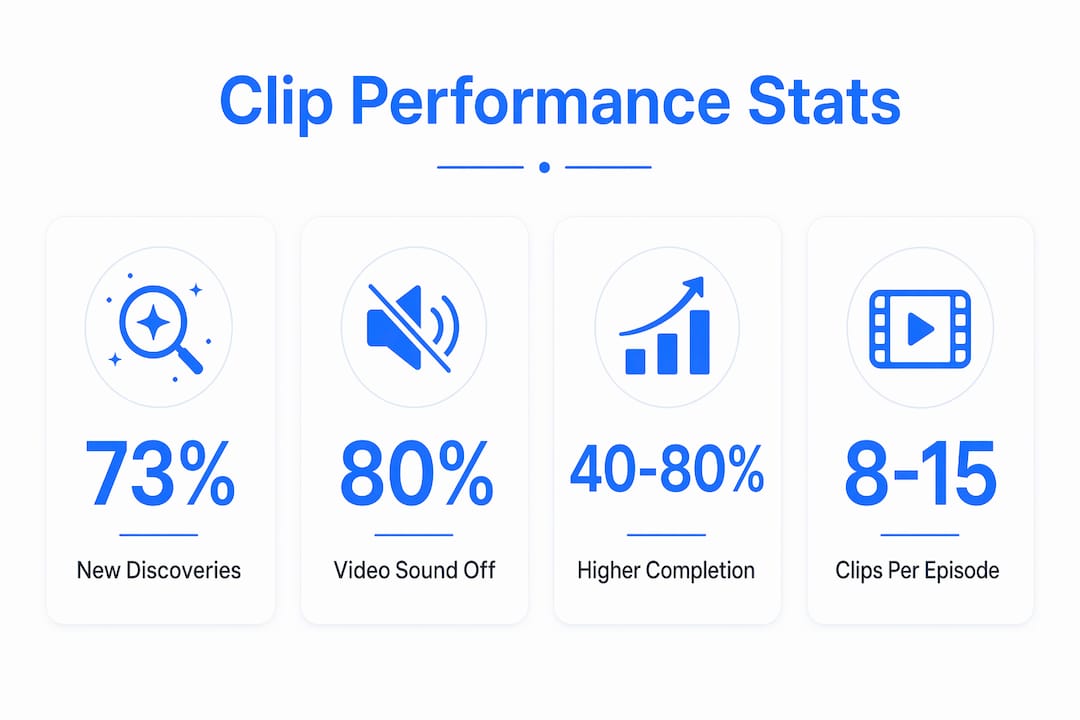
73% of podcast listeners discover new shows through short-form video clips. That single statistic reframes the entire purpose of clipping. Clips are not just repurposed content. They are the primary discovery mechanism for new audiences, which means their quality directly determines audience growth.
The reason video outperforms audio comes down to one behavioral fact: 80% of social video is consumed with sound off. Audiograms and audio-only clips are invisible to this majority. Captioned video clips with visual editing like zoom effects and b-roll are not. Creators who rely on audio-only clips are structurally excluded from the largest segment of social video viewers.
| Format | Engagement level | Caption support | Discovery potential |
|---|---|---|---|
| Video clip with captions and zoom | Very high | Native, word-level | Strong across TikTok, Instagram, YouTube Shorts |
| Audiogram (waveform animation) | Moderate | Limited, static | Weak on video-first platforms |
| Audio-only clip | Low | None | Minimal on social platforms |
Captioned clips drive 40 to 80% higher completion rates compared to uncaptioned video. Completion rate is the metric that most directly influences algorithmic distribution on TikTok, Instagram Reels, and YouTube Shorts. A clip that gets watched to the end gets shown to more people. The compounding effect of higher completion rates on distribution is what separates creators who grow from those who plateau.
Creators who transform 30 to 90 minute episodes into 8 to 15 standalone clips per episode are not just producing more content. They are multiplying their discovery surface area across every platform simultaneously.
What goes wrong when video access is unreliable
Unreliable video access creates a cascade of problems that compound across every stage of the clipping workflow. Each failure point adds manual work, reduces output quality, and limits the effectiveness of AI tools.
The most visible problem is poor framing. Face-tracked auto-cropping, which keeps the active speaker centered in vertical video formats, requires continuous access to clean video frames. When the source video drops frames or buffers, the face detection model loses its reference point. The resulting clip shows a speaker partially cut off or framed incorrectly, which signals low production quality to viewers before a single word is spoken.
Beyond framing, there are four specific failure modes that creators encounter regularly:
- Caption drift. Sync errors exceeding 0.5 seconds make captions read as subtitles for a different conversation. This is the most common credibility-damaging artifact of low-quality video sources.
- False AI clip selections. When moment detection models work from incomplete transcripts, they score clips based on partial data. 30 to 50% of AI-generated clips already require manual override under ideal conditions. Poor video access pushes that number higher.
- Lost emotional context. AI clip makers struggle with detecting emotional context and improvised conversation subtext. Reliable video access provides the complete contextual data these models need to identify genuinely compelling moments rather than just loud or fast-paced ones.
- Increased editing time. Every technical failure in the source video translates directly into manual correction time downstream. Creators who expected automation to save hours find themselves spending those hours fixing artifacts instead.
Pro Tip: Before running any AI clipping tool, audit your source video for frame drops, resolution inconsistencies, and audio sync issues. Fixing problems at the source takes minutes. Fixing them in post takes hours.
Handling anti-bot video extraction at scale adds another layer of complexity for teams pulling video from platforms like YouTube or Spotify. Extraction failures mid-file produce corrupted segments that are indistinguishable from clean footage until the clipping tool fails on them.
How to secure reliable video access for your clipping workflow
Reliable video access is not accidental. It requires deliberate choices at the recording, extraction, and infrastructure levels. The following approach covers each stage.
-
Record with multi-track platforms. Tools like Riverside.fm and SquadCast record each participant's audio and video as a separate local track. This eliminates the quality degradation caused by internet connection instability during the call. Each speaker's track arrives at full resolution regardless of bandwidth conditions during recording.
-
Separate audio and video tracks at the source. A single mixed track forces every downstream tool to work with less information. Separate tracks allow transcription tools to process each speaker independently, which dramatically improves diarization accuracy and caption alignment. The technical best practices for syncing audio and video in automated workflows are well-documented and worth implementing before scaling.
-
Use production-grade extraction APIs for platform-sourced video. When your workflow involves pulling video from YouTube, Spotify, Instagram, or TikTok, production-scale video extraction infrastructure is not optional. Consumer-grade tools fail under load and produce inconsistent output formats that break downstream automation. APIs built for this purpose handle anti-bot systems, proxy rotation, and format normalization so your clipping pipeline receives consistent, high-fidelity files.
-
Build in a manual review step. Advanced creators use a two-step process: extract a reliable video source first, then polish clips with professional editors or specialized AI tools. Human creative judgment remains necessary because AI scoring cannot reliably detect the emotional resonance or narrative context that makes a clip worth sharing.
-
Integrate with cloud storage and scheduling tools. Direct delivery to S3, R2, GCS, or Azure eliminates the manual file transfer step that introduces version control errors and delays. Connecting your extraction pipeline to a social scheduling tool like Buffer or Later means clips move from source to published without human intervention at the distribution stage.
Pro Tip: The first 1.5 seconds of any clip must contain a specific, counter-intuitive takeaway or a strong visual hook. Short-form algorithms penalize clips that open with generic statements or slow visual starts. Build this requirement into your clip selection criteria before you automate.
Key takeaways
Reliable video access is the technical prerequisite that determines whether podcast clipping produces high-performing social content or requires constant manual correction to be usable.
| Point | Details |
|---|---|
| Video quality drives transcription accuracy | High-fidelity video enables accurate speaker diarization and word-level caption alignment in multi-speaker formats. |
| Video clips outperform audio on every platform | Captioned video clips achieve 4.2x higher engagement and 40 to 80% higher completion rates than audio-only alternatives. |
| Unreliable video compounds errors downstream | Caption drift, false AI clip selections, and poor framing all trace back to low-quality or missing video source files. |
| Multi-track recording prevents source problems | Recording separate audio and video tracks per speaker eliminates the quality degradation that breaks AI clipping tools. |
| Manual review remains non-negotiable | Up to 50% of AI-generated clips require human override, and that rate increases when source video quality is poor. |
What I've learned about video access after building for podcast platforms
The gap between what AI clipping tools promise and what they deliver in production almost always comes down to one variable: the quality of the video they were given to work with. I have seen teams invest in OpusClip, Descript, and other capable tools, then get mediocre results because they fed those tools compressed, single-track, or partially corrupted video files. The tools are not the problem. The source is.
The deeper issue is that most creators treat video access as a solved problem. They assume that because they recorded a session or because a video exists on YouTube, the file is ready for automated processing. It rarely is. Platform-hosted video is served through anti-bot systems, adaptive bitrate streaming, and format layers that consumer download tools handle inconsistently. What arrives in your clipping pipeline may be technically playable but structurally degraded in ways that only become visible when the AI produces bad output.
The creators I see pulling ahead in 2026 are not the ones with the most sophisticated AI tools. They are the ones who have locked down their video sourcing infrastructure first. They treat reliable video access the same way a data engineer treats a clean data pipeline: as the prerequisite for everything else. The AI handles the automation. The human handles the judgment calls. But neither can perform without a clean source.
The uncomfortable truth is that all-in-one AI clipping platforms often obscure this dependency. They make the process look simple until you hit a failure case, and then you have no visibility into where the problem originated. Building your own extraction layer, or using infrastructure designed for this purpose, gives you the control and observability that production workflows require.
— Alexandre
How Tornadoapi powers reliable video access at scale
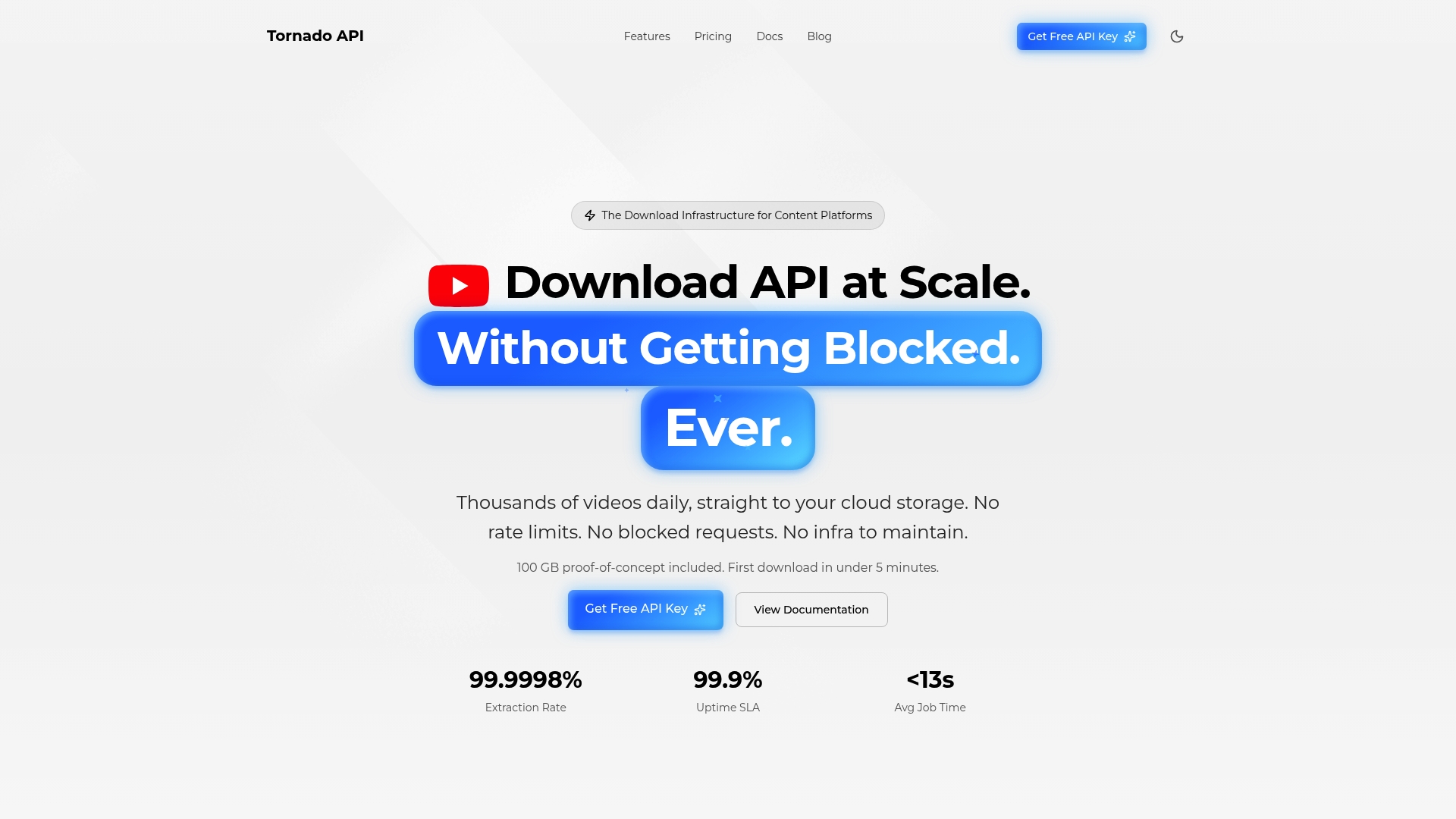
Tornadoapi is the video extraction infrastructure built specifically for production clipping workflows. It sits between YouTube, Spotify, Instagram, and TikTok and your clipping pipeline, handling anti-bot systems, proxy rotation, and format normalization so your tools receive consistent, high-fidelity files every time. With 99.998% extraction reliability and 300 TB delivered monthly, it replaces the fragile consumer-grade tools that break under load. The direct cloud export API delivers files straight to S3, R2, GCS, or Azure, eliminating manual transfer steps entirely. For teams ready to scale their podcast clipping output without rebuilding their infrastructure, Tornadoapi's pricing tiers are designed to match production volume from day one.
FAQ
What is podcast clipping and why does video matter?
Podcast clipping is the practice of extracting short, high-impact moments from full episodes for social media distribution. Video matters because captioned video clips achieve 4.2x higher engagement than audio-only formats, and 73% of listeners discover new podcasts through short-form video.
How does video quality affect AI transcription accuracy?
High-quality video enables accurate speaker diarization and word-level caption alignment. Without it, transcripts misattribute speakers and caption sync drifts by half a second or more, which degrades every downstream clipping output.
Can audio-only clips still perform well on social media?
Audio-only clips have limited reach because 80% of social video is consumed with sound off. Audiograms and waveform animations provide minimal visual engagement compared to captioned video clips with face tracking and zoom effects.
How many AI-generated clips need manual review?
Between 30 and 50% of AI-generated clips require manual override even under ideal conditions. Poor source video quality increases that rate, making human review a non-negotiable step in any production clipping workflow.
What tools support reliable video access for podcast clipping?
Riverside.fm and SquadCast provide multi-track local recording for individual speaker streams. For platform-sourced video at scale, production-grade extraction APIs like Tornadoapi handle anti-bot systems and deliver normalized files directly to cloud storage.